Short answer: for most metal marking — serial numbers, QR and DataMatrix codes, logos and nameplates on steel, stainless, aluminium and brass — a 30W fiber laser marking machine is the right default. Step up to 50W when deep engraving, large-area fills or a large scan field make up a real share of your work. Choose 100W only when deep engraving or heavy material removal is the bottleneck in your production line. Wattage does not make a mark "stronger"; on a Q-switched source it mostly changes how many pulses per second the machine can deliver, which changes speed on fill and depth jobs, not the quality of a simple code.
HORISTAR builds the desktop fiber marking range in 30W, 50W and 100W with 1064 nm Raycus or Max sources, scan fields from 100 × 100 mm to 300 × 300 mm and an optional 50/80 mm rotary axis (see the fiber laser marking machine page). Not sure a fiber laser is the right type for your parts? Start with how to choose an industrial laser marking machine. This guide explains how to pick the power class from your parts, cycle time and lens — and when the extra watts are wasted money.
Key Takeaways
- Average power = pulse energy × repetition rate. Common 30W and 50W Q-switched fiber sources are both rated at about 1 mJ per pulse; the 50W model simply fires more pulses per second.12
- 30W covers most traceability marking. Codes, text and logos on metal are usually limited by scan speed and mark quality, not by laser power.
- Power pays back on depth and area. Deep engraving and large fills scale roughly with average power, so a 50W source cuts that marking time to about 60% of a 30W source, and 100W to about 30%, once parameters are re-optimised.
- The lens can cancel your extra watts. A 300 × 300 mm field lens spreads the beam to roughly 2.6× the spot diameter of a 110 × 110 mm lens, so energy density falls to about one-seventh. Big fields need more power.
- Check the cycle, not just the laser. If loading and unloading take longer than marking, extra power barely raises hourly output.
- More power is not always better. Thin parts, plastics and fine marks can suffer from excess heat. Colour marking on stainless and deep black on anodised aluminium depend on source type (MOPA), not wattage.
What Laser Power Actually Changes
Most desktop fiber marking machines use a Q-switched pulsed fiber source at 1064 nm. Each pulse delivers a fixed packet of energy, and the source fires tens of thousands of pulses per second. Average power is simply the product of the two. Published source data shows why buyers are often surprised:
| Source class (Q-switched) | Rated pulse energy | Repetition rate range | What the extra power buys |
|---|---|---|---|
| 30W | 1 mJ @ 30 kHz | 30–60 kHz | Baseline |
| 50W | 1 mJ | 50–100 kHz | About 1.7× the pulses per second of 30W at the same pulse energy |
Source: published laser source manufacturer specifications.12 Exact values differ by source model and generation; ask for the datasheet of the exact source quoted.
The practical meaning: a 30W and a 50W machine hit the surface with roughly the same energy per pulse. On a small QR code or a line of text, both machines produce the same mark, and the time is often set by the galvo scan speed and the hatch settings you need for contrast. The 50W machine pulls ahead when the job needs a lot of pulses — filling large areas, engraving depth layer by layer, or marking through a long-focal-length lens where each pulse is spread over a bigger spot.
Buyer rule: if your marks are small and shallow, compare 30W and 50W machines on mark quality, software and fixturing — not on power. If your marks are deep or large, compare them on measured marking time from a sample test.
Power Class by Application
The table below is the starting point HORISTAR uses when reviewing a marking RFQ. It assumes a standard Q-switched fiber source and a 110–150 mm class field lens. Your sample test decides the final answer.
| Marking job | Typical material | Recommended start | Why |
|---|---|---|---|
| Serial numbers, batch codes, date codes | Stainless, carbon steel, aluminium, brass | 30W | Small area, shallow mark; speed limited by scanning, not power |
| QR / DataMatrix codes for traceability | Machined and sheet metal parts | 30W | Readability depends on contrast and module size; test with your code reader |
| Logos and nameplates | Stainless, anodised aluminium, coated metal | 30W (50W for large logos) | Fill time grows with logo area |
| Paint or coating removal (backlit keys, coated panels) | Painted / powder-coated metal | 30–50W | Depends on coating thickness and area |
| Dark annealing marks on stainless | 304 / 316 stainless | 30W | Needs slow, controlled heating; extra power rarely shortens it much |
| Deep engraving (0.1–0.4 mm) | Steel, brass, aluminium, tools, moulds | 50W or 100W | Removal rate scales with average power |
| Large marks on a 200 × 200 or 300 × 300 mm field | Panels, plates, trays | 50W or more | Larger spot lowers energy density (see lens section) |
| Thin foils, sheet under about 0.5 mm, heat-sensitive parts | Thin stainless, aluminium foil | 30W, low duty | Excess heat can warp or discolour thin parts |
| Most plastics, glass, ceramics | ABS, PC, PP, glass | Consider UV instead | 1064 nm is often a poor fit; see UV vs fiber laser marking |
| Colour marks on stainless, deep black on anodised aluminium | Stainless, anodised aluminium | Ask about MOPA | Needs adjustable pulse width; this is a source type, not a wattage |
Source: HORISTAR laser marking application practice, 2026. Starting points only; confirm with a sample test on your parts.
The Lens Can Multiply or Cancel Your Power
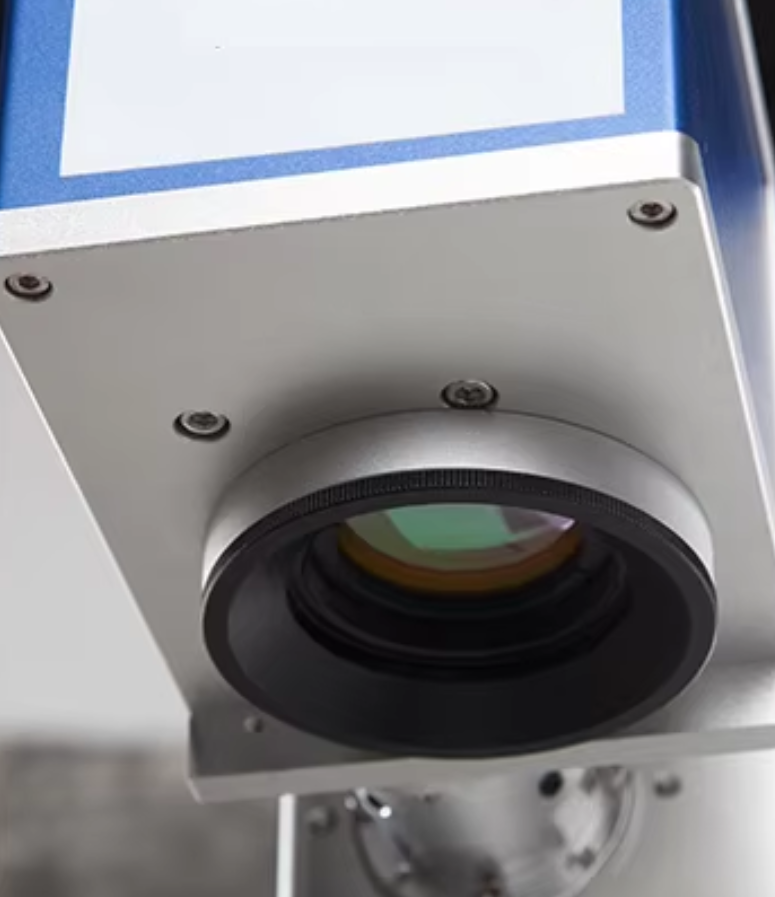
The F-theta field lens decides the size of the marking area, and it also decides how tightly the beam is focused. The focused spot diameter grows in proportion to the lens focal length, and the energy density per pulse falls with the square of the spot diameter. A 300 × 300 mm field is convenient, but the same source delivers much less energy per square millimetre than it does through a small lens.
| Field size (typical lens) | Typical focal length | Estimated spot diameter | Relative energy density vs 110 mm field |
|---|---|---|---|
| 110 × 110 mm | F160 | ≈ 46 µm | 1.00 |
| 150 × 150 mm | F210 | ≈ 61 µm | ≈ 0.58 |
| 200 × 200 mm | F290 | ≈ 84 µm | ≈ 0.30 |
| 300 × 300 mm | F420 | ≈ 122 µm | ≈ 0.15 |
Calculated by HORISTAR from the Gaussian spot estimate d ≈ 4·λ·f·M² / (π·D), with λ = 1.064 µm, an assumed M² of 1.5 and a 7 mm source beam diameter.1 Lens focal lengths differ between lens makers; real spot size also depends on beam expanders and alignment.
Two practical conclusions follow. First, do not order the largest field "just in case" — if most parts fit in 110–150 mm, a smaller lens gives sharper, faster marks from the same source. Second, if you genuinely need a 200 × 200 or 300 × 300 mm field for large plates or multi-part fixtures, plan on 50W or more, because a 30W source behind an F420 lens has far less energy density than the same source behind an F160 lens.
Deep Engraving: How Power Changes Marking Time
Deep engraving removes material layer by layer, so the total time is driven by how much energy the laser delivers per second. For the same pulse energy and re-optimised parameters, marking time on a removal job scales roughly with the inverse of average power:
| Power class | Relative time for the same engraving | Example: job that takes 60 s at 30W |
|---|---|---|
| 30W | 1.0 | 60 s |
| 50W | ≈ 0.6 | ≈ 36 s |
| 100W | ≈ 0.3 | ≈ 18 s |
First-order estimate by HORISTAR (time ∝ 1 / average power). Real results vary with material, depth, pulse settings, fill pattern and heat build-up; confirm with a timed sample test.
The HORISTAR desktop fiber series is specified for marking depth up to 0.4 mm. Deeper features, or very fast removal on hard alloys, push the job toward 100W and longer cycles. Remember that faster removal also means more heat in the part: small or thin parts may need pauses between passes to avoid warping or discolouration, which eats part of the time saved.
Cycle-Time Math: Will More Power Raise Output?
Laser time is only part of the cycle. An operator still loads the part, starts the job and unloads it. Before paying for extra watts, put your own numbers into this simple check:
Cycle time   = handling time + marking time
Parts / hour = 3600 ÷ cycle time
Marking time at higher power ≈ marking time at 30W × (30 ÷ new power)
Two worked examples with 20 seconds of handling time per part:
| Job | Power | Marking time | Cycle time | Parts per hour |
|---|---|---|---|---|
| Small QR code + serial number (4 s at 30W) | 30W | 4.0 s | 24.0 s | 150 |
| 50W | 2.4 s | 22.4 s | 161 | |
| 100W | 1.2 s | 21.2 s | 170 | |
| Deep-engraved logo (60 s at 30W) | 30W | 60 s | 80 s | 45 |
| 50W | 36 s | 56 s | 64 | |
| 100W | 18 s | 38 s | 95 |
Calculated by HORISTAR using the formula above. The small-code example assumes the full marking time scales with power, which overstates the gain when scan speed is the limit.
For the small code, going from 30W to 100W adds about 13% output at best — and in practice less, because small marks are often limited by scan speed. A second fixture or a rotary/indexing fixture usually raises output more cheaply. For the deep-engraved logo, 50W adds about 40% output and 100W roughly doubles it. That is where the higher power class earns its price.
When More Power Hurts
- Thin and small parts. More energy per second means more heat in a small mass. Thin stainless can warp or show heat tint around the mark.
- Fine detail. Tiny characters and fine lines need a small, well-controlled spot, not more power. Lens choice and parameter tuning matter more.
- Annealing marks. Dark, smooth marks on stainless form through controlled oxidation below the melting point. The process is slow by nature; extra power often has to be turned down to keep the surface smooth.
- Plastics. Many plastics melt, foam or burn at 1064 nm. If your parts are mostly plastic, a UV marker is usually the better first test.
- Budget and footprint. Higher-power sources cost more and add heat to the cabinet. Pay for power you will use every day, not for occasional jobs that a longer cycle can handle.
HORISTAR Desktop Fiber Marking Options
These are the published parameters of the HORISTAR fiber laser marking machine. Final configuration depends on your parts, voltage and fixture needs.
| Parameter | Value |
|---|---|
| Laser power options | 30W / 50W / 100W |
| Laser source | Raycus or Max, 1064 nm |
| Working area options | 100 × 100, 150 × 150, 200 × 200, 300 × 300 mm |
| Pulse frequency | 20–100 kHz |
| Marking depth | ≤ 0.4 mm |
| Marking speed | ≤ 7000 mm/s |
| Minimum line width / character | 0.1 mm / 0.15 mm |
| Rotary axis (optional) | 50 mm / 80 mm diameter |
| Control and software | JCZ board, EZCAD; imports PLT, BMP, DXF, JPG, AI |
| Cooling | Air cooling |
| Supply voltage | 110 / 220 V, 50 / 60 Hz |
| Machine formats | Desktop, semi-enclosed, mini, mini closed |
Source: HORISTAR fiber laser marking machine product page, 2026.
Which HORISTAR power class to choose
| Choose | When your work looks like this |
|---|---|
| 30W | Codes, text, logos and nameplates on metal; shallow marks; parts fit inside a 110–150 mm field; handling time is a large part of the cycle. |
| 50W | Regular deep marks or large filled logos; coated or painted parts with thicker layers; a 200 × 200 mm field used daily; marking time is a clear part of the cycle. |
| 100W | Deep engraving is the bottleneck (moulds, tools, heavy part numbers); large 300 × 300 mm fields with heavy fills; inline stations where every second of marking time counts. |
HORISTAR does not list a 20W option. A 20W source can handle light code and text marking, but on most quotes the step to 30W is small compared with the extra margin it gives for coated metals and larger logos.
Power Is Not the Same as Source Type
Some results cannot be bought with more watts. Colour marking on stainless steel and deep black marks on anodised aluminium depend on adjustable pulse width, which is the feature of a MOPA fiber source, not a standard Q-switched one. Highly reflective metals such as copper may also need a different source or a sample test before you commit. If any of these appear on your drawing, write it in the RFQ so the source type is reviewed before the power class. For wavelength questions (plastics, glass, ceramics), read UV Laser Marking vs Fiber Laser Marking and the UV laser marking machine page.
Laser Safety and Fume Control
An open-beam desktop fiber marker is a Class 4 laser product under IEC 60825-1, whatever its power class.3 Higher power does not change the class, but it does raise the stakes of a stray reflection. Plan these items before installation:
- Laser safety eyewear rated for 1064 nm, specified for the source power, for everyone in the marking area — or choose an enclosed format so the beam is contained.
- A controlled area, warning signs and operator training, following OSHA laser hazard guidance or your local rules.4
- Local fume extraction with filtration. Marking coated, painted or plated parts releases particles and fumes.
- Never mark PVC or other chlorine-containing materials without a qualified fume-control plan; they release corrosive and hazardous gases.
HORISTAR offers semi-enclosed and mini closed formats for workshops and labs where open-beam operation is not acceptable.
Sample Test Before You Choose Power
A timed sample test on your real parts is the fastest way to settle 30W vs 50W vs 100W. Ask for:
| Test item | What to request | Why it matters |
|---|---|---|
| Your real parts | Same material, finish and coating as production | Surface finish changes contrast and speed |
| Your real mark | Actual artwork, code size and depth | Demo logos say nothing about your cycle |
| Timed marking cycle | Marking time per part on the quoted power and lens | Feeds the cycle-time math above |
| Code verification | Read the codes with your own reader or a grading tool | A code that looks fine may still fail to scan |
| Depth measurement | Measured depth for engraving jobs | Confirms whether the power class is enough |
| Heat check | Flatness and heat tint on thin parts | Shows whether more power would cause damage |
| Evidence | Video, photos and marked parts returned | Lets your team compare quotes on facts |
What to Send for a Quotation
- Material, finish and coating of each part (photos help)
- Mark content: text, codes, logos — with size and required depth
- Largest part or fixture area that must fit in one field
- Parts per shift and current handling method
- Whether cylindrical parts need a rotary axis (diameter range)
- Any colour, black-on-anodised or plastic marking requirements
- Code standard or reader used for quality checks
- Open-beam or enclosed format; voltage; destination country
Send these to the HORISTAR team through the contact page. If you are comparing other laser processes as well, start from the laser marking machine category, and for import planning see the China machine import, FAT and shipping checklist.
Frequently Asked Questions
Is a 50W fiber laser marking machine better than a 30W?
Not for every job. Common 30W and 50W Q-switched sources deliver about the same energy per pulse (around 1 mJ); the 50W source fires more pulses per second. That makes 50W faster on deep engraving and large filled areas, but on small codes and text the result and the time are often almost the same. Choose 50W when depth or area is a regular part of your work.
What power do I need to mark stainless steel and aluminium?
For serial numbers, QR codes, text and logos on stainless steel and aluminium, 30W is usually enough. Choose 50W or 100W when you need deep engraving, large filled logos or a large scan field. Deep black marks on anodised aluminium and colour marks on stainless depend more on a MOPA source than on wattage.
How deep can a fiber laser marking machine engrave?
Depth depends on material, power, passes and time rather than on a single fixed limit. The HORISTAR desktop fiber series is specified for marking depth up to 0.4 mm. Higher power reaches a given depth faster: as a first estimate, a 50W source needs about 60% of the time of a 30W source, and a 100W source about 30%, for the same engraving.
When is a 100W fiber laser marker worth it?
A 100W marker is worth it when deep engraving or heavy material removal limits your output, for example mould and tool marking, deep part numbers or large fills on a 300 × 300 mm field. For routine traceability codes it adds cost and heat without a meaningful gain in parts per hour.
Does the field lens size affect which power I should buy?
Yes. A larger field lens has a longer focal length, which makes a larger spot and lowers energy density. A 300 × 300 mm lens gives roughly one-seventh of the energy density of a 110 × 110 mm lens with the same source, so large-field work usually needs 50W or more.
Can a fiber laser marking machine mark plastic?
Some plastics with laser-sensitive additives mark well at 1064 nm, but many melt, foam or burn. More fiber power does not fix that. For mostly plastic, glass or ceramic parts, test a UV laser marker first.
What should I send HORISTAR to choose the right power?
Send part material and finish, the mark content with size and depth, the largest area per field, parts per shift, whether a rotary axis is needed, any colour or plastic marking needs, and your voltage and destination country. HORISTAR uses these to recommend the power class and lens, and can run a timed sample test on your parts.
Sources
- Laser source manufacturer published specifications for a 30W Q-switched pulsed fiber source (pulse energy, repetition rate, beam diameter).
- Laser source manufacturer published specifications for a 50W Q-switched pulsed fiber source.
- International Electrotechnical Commission, IEC 60825-1 Safety of laser products — Equipment classification and requirements.
- U.S. Occupational Safety and Health Administration, Laser Hazards.
- HORISTAR, Fiber Laser Marking Machine product specifications.