Tool inventory & station mapping
How Many Turret Stations Do You Need? A CNC Lathe Tool-Budget Worksheet
Turn the operation list into a tool budget and a reviewed station map.
Read the guide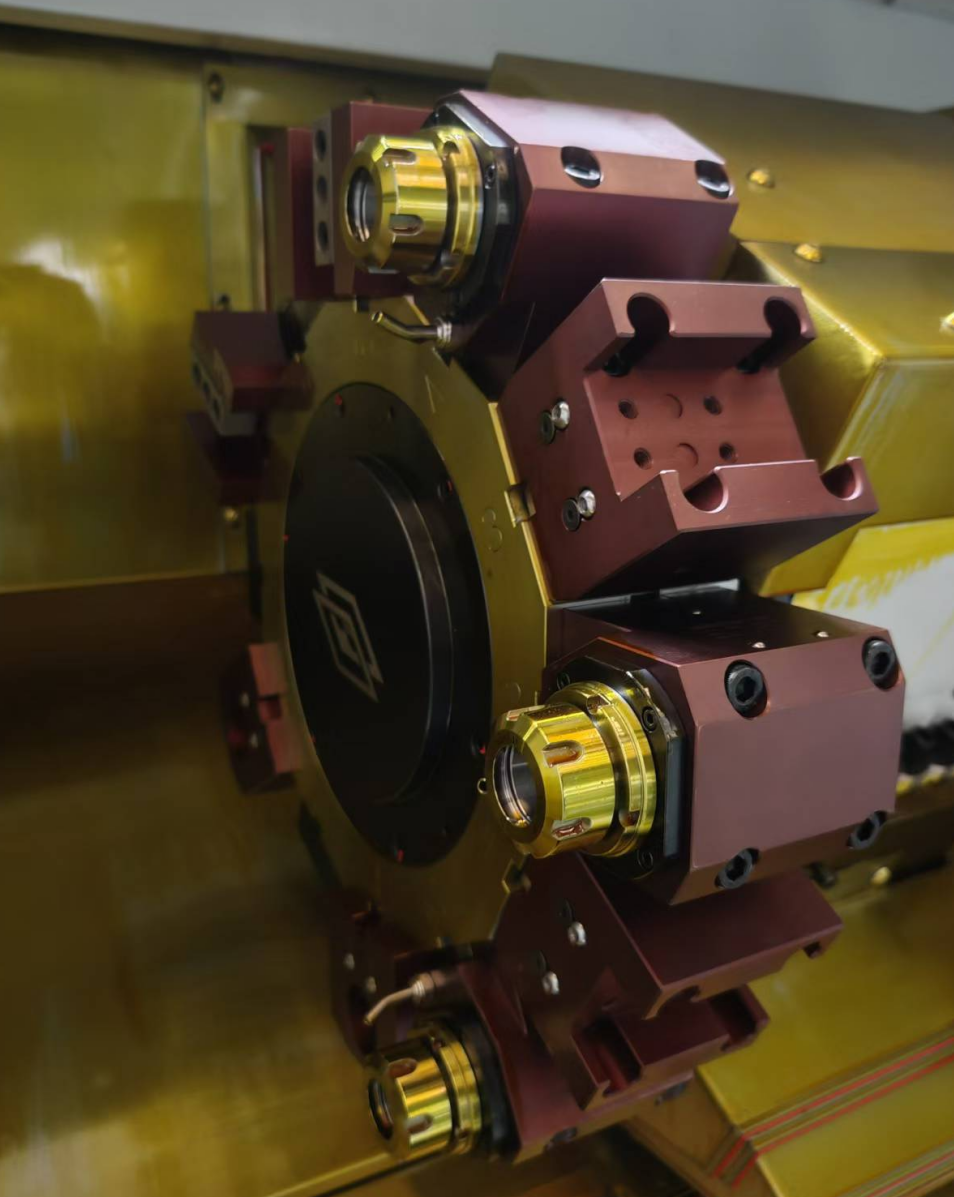
Base toolsIllustrative sleeve setup
Sister toolsPlanned production reserve
Clearance15 positions in this example
Start with the tool assemblies that must stay mounted for the planned job, not the largest station count in a catalogue. Add sister tools that have a defined production purpose, include tools for variants that must run in the same setup, and identify positions that must remain empty for clearance. The result is a preliminary tool budget that the supplier can check against an actual machine layout.
This worksheet produces three quotation attachments: an operation-to-tool inventory, a position budget and a station map with unresolved items. It does not compare turret drive systems, calculate a live-tooling payback or establish indexing accuracy. Those are separate decisions covered in the related guides.
The HORISTAR CNC lathe page is a starting point for a configuration request, not evidence that every capacity calculated below is offered. Confirm the exact machine, turret, holders and accessible positions in the quotation. An 18-position budget comparison later in this worksheet is arithmetic only, not an advertised HORISTAR configuration.
Stations, cutting edges and tool calls are different counts
A physical mounting position, an addressable indexing position, a mounted holder and a cutting edge are not always the same thing. A compatible multi-tool holder may carry more than one tool, while a large holder may make a neighboring position unusable.
Some machine families also provide half-station indexing with dedicated holders. Haas describes BMT45 tooling for its 12- and 24-station configurations, illustrating why the specific turret and holder combination matters. It does not mean any 12-station turret can accept twice as many tools. [1]
Start a quotation comparison with four questions:
- How many indexing positions are available in the quoted configuration?
- Which holder interfaces and orientations are supported?
- Which positions can perform the required driven-tool operations?
- What remains accessible after all holders, chuck jaws and support equipment are installed?
An offset number in the control is not an additional physical tool location. Likewise, station capacity does not add a Y-axis or live-tool drive. Treat those as separate machine capabilities.
Build the operation list before the station budget
For each part, list the machining operations and the tools they require. Consolidate operations only when one tool can actually meet the geometry, material and finish requirements. One turning tool may perform several operations; another part may require separate roughing and finishing tools even where the nominal insert shape looks similar.
The following is an illustrative sleeve-part setup, not a proven HORISTAR process or a recommended production program. It assumes one tool assembly per occupied position and no multi-tool holders.
| Tool assembly | Intended task | Base positions |
|---|---|---|
| Rough-turning tool | Face and rough external profile | 1 |
| Finish-turning tool | Finish external diameters and shoulders | 1 |
| External grooving tool | External groove | 1 |
| External threading tool | External thread | 1 |
| Spotting tool | Prepare axial drilling entry where required | 1 |
| Drill | Produce the initial axial hole | 1 |
| Rough-boring bar | Enlarge the internal diameter | 1 |
| Finish-boring bar | Finish the internal diameter | 1 |
| Internal grooving tool | Internal groove | 1 |
| Parting tool | Separate the part under an approved workholding plan | 1 |
| Base tool total | 10 |
This count does not establish the order of machining. For example, the workholding and parting plan must preserve support throughout the process. It is an inventory to be reviewed by the programmer and applications engineer.
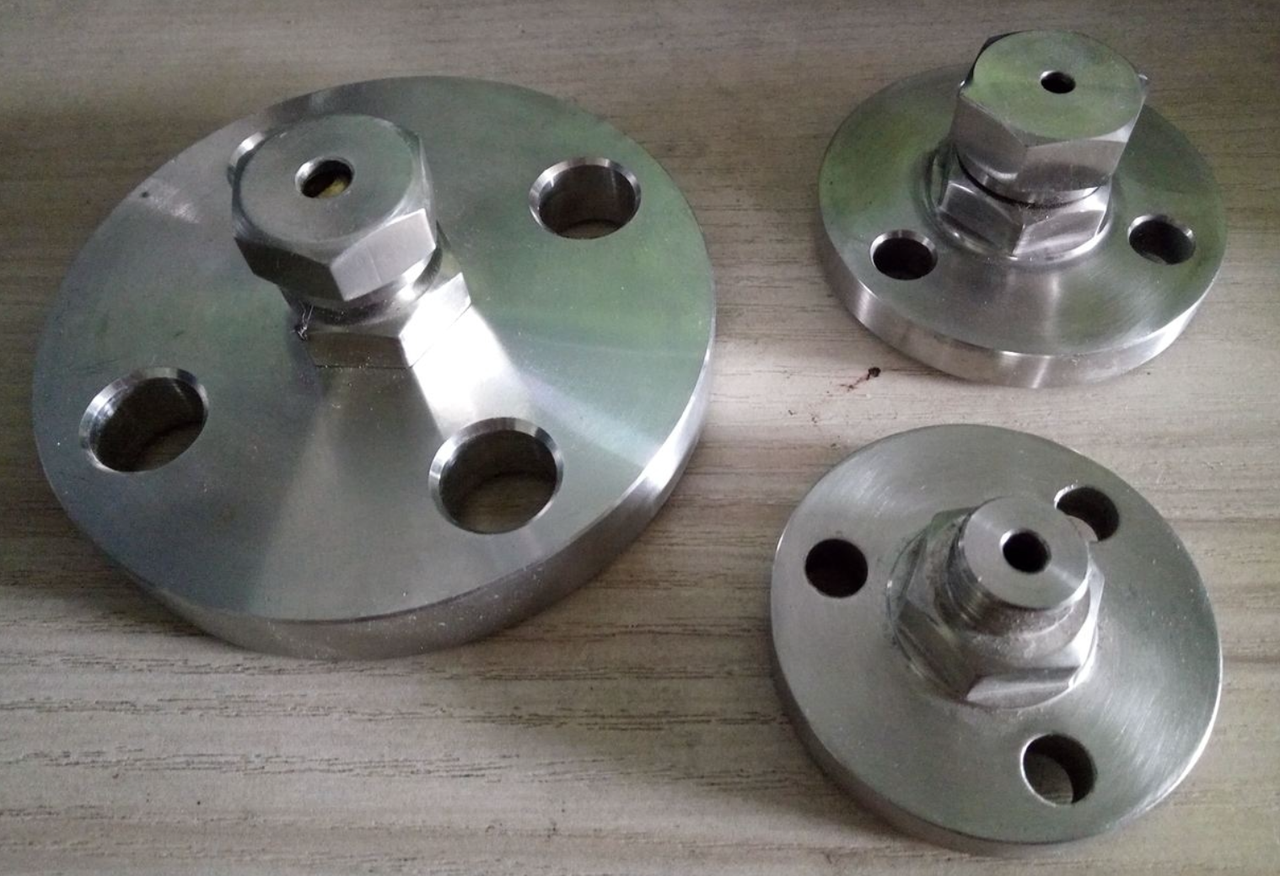
Machined flange components shown on the HORISTAR product page. Different features require different tool plans; these parts are not the sleeve used in the illustrative budget.
View the source product pageAdd production reserve and clearance exclusions
Now account for tools that are useful beyond the first good part. Sister tools may be needed to complete a planned run without replacing a worn insert or resetting a holder. A recurring part variant may require a different drill or thread tool. These needs compete for the same physical space.
Use this preliminary budget for a one-tool-per-position arrangement:
Required positions = base tool assemblies + sister/variant tools + positions reserved for clearance.
The final term represents positions that the layout review deliberately leaves empty. Do not count the same position twice.
For the illustrative setup:
| Budget item | Positions |
|---|---|
| Base tool assemblies | 10 |
| Three planned sister tools | 3 |
| Two assumed clearance reservations | 2 |
| Total planning requirement | 15 |
Under those assumptions, a 12-position arrangement is three positions short. An 18-position arrangement has three positions remaining on paper. That result is arithmetic, not proof of collision-free operation: the two clearance reservations are placeholders until the real holder geometry is checked.
If the work is attended and sister tools are unnecessary, the same example becomes 10 + 0 + 2 = 12. A different production policy can therefore change the capacity decision without changing the part drawing.
Validate the whole tool envelope
Review more than the cutting tool currently in use. An inactive drill or boring bar can interfere with the chuck, workpiece, tailstock or another holder while the turret approaches the cut or indexes away.
Ask the supplier for the mounted tool lengths and holder drawings used in the review. A compact holder shown in a brochure may not represent the assembly needed for your part.
| Review item | Evidence to request |
|---|---|
| Tool access | The actual cutting edge reaches each feature within machine travel |
| Neighboring holders | No prohibited overlap in the intended mounted layout |
| Indexing movement | Swept envelope checked for the permitted indexing paths |
| Chuck and jaws | Workholding included at relevant operating positions |
| Tailstock or steady rest | Support equipment included throughout the sequence |
| Tool replacement | Maximum approved projection recorded in the setup sheet |
Simulation is useful when it represents the delivered machine, holders and workholding. Commissioning must still follow the builder's approved proving procedure. A tool layout that works only after removing a planned sister tool should be reflected in the capacity calculation.
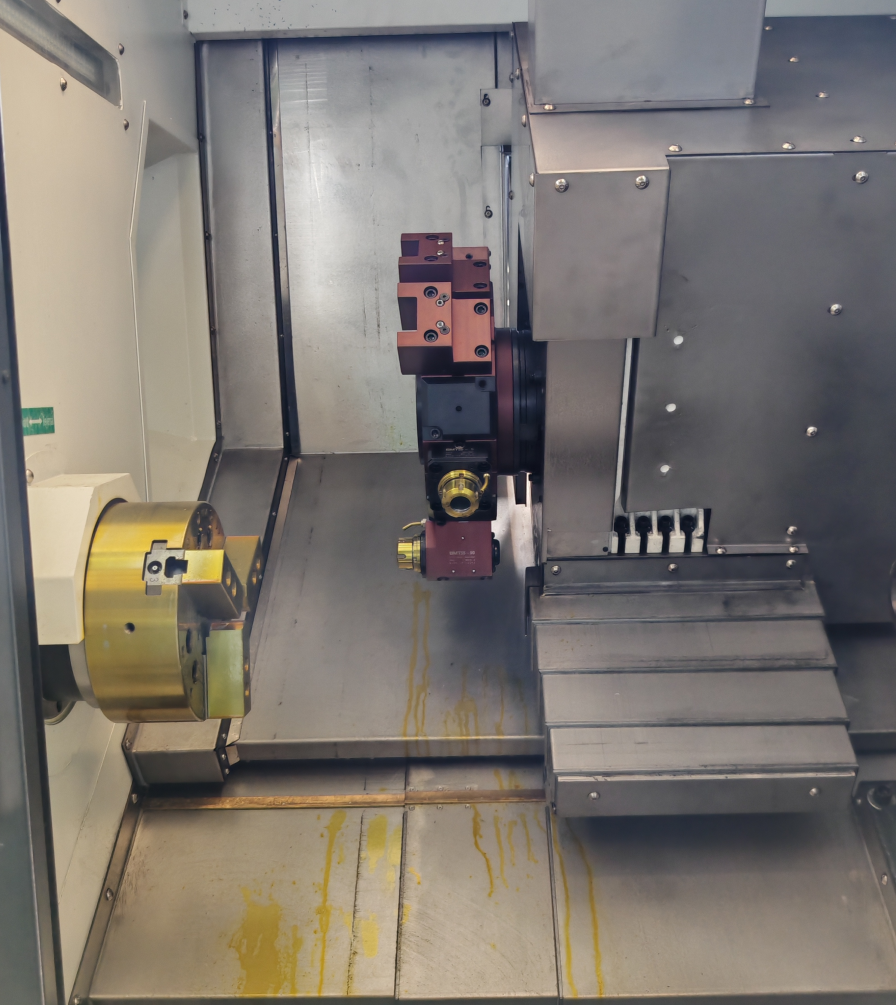
Chuck and turret share the working envelope. Review mounted holder projections throughout cutting, approach and indexing, not only at the final cutting position.
View the source product pageConvert the count into a station map
A total of 15 does not tell the programmer where a boring bar can be mounted or which neighbor it blocks. Assign a stable assembly ID to every tool on the inventory, then record the proposed position separately. Do not use the program's offset number as a substitute for a physical location.
Copy and expand this blank map for the actual quoted arrangement. The rows below are a template, not approved station assignments or a machining sequence.
| Position / index address | Assembly ID and holder part number | Working / sister / variant / empty | Projection and orientation | Neighbor restriction / review status |
|---|---|---|---|---|
| To assign | To record | Working tool | To confirm from assembled tool | Not reviewed |
| To assign | To record; identify the tool it backs up | Sister tool | To confirm | Not reviewed |
| To assign | To record; identify applicable part variant | Variant tool | To confirm | Not reviewed |
| To assign | No tool installed | Clearance reservation | Not applicable | Record which assembly requires the empty position |
Reconcile the map with the budget: every required tool assembly should appear once unless a deliberate duplicate is recorded, and every reserved empty position should have a reason. If two long holders restrict the same neighboring position, count that physical exclusion once. If a holder restricts different positions in different setups, keep separate maps instead of combining them into an ambiguous master count.
Document the tool envelope used in the review. A later replacement with a longer holder or a different projection can invalidate the map even when the tool count stays unchanged. Carry the approved assembly dimensions into the setup sheet and route changes through the machine builder's proving procedure.
Resolve a shortfall without hiding the trade-off
When the required positions exceed accessible capacity, label the layout unresolved. Removing a sister tool is a change to the production plan, not a free capacity gain. The programmer and supplier should review the alternatives against the actual work.
| Proposed change | What the revised worksheet must show |
|---|---|
| Remove a sister tool | The attended replacement plan and its effect on the intended run |
| Mount variant tools only when needed | A separate setup map and tool-change/proving requirement for each variant |
| Use one assembly for multiple operations | Confirmation that the tool can reach and produce every assigned feature |
| Use a compatible multi-tool holder | Supported indexing/tool addressing and the complete holder envelope |
| Choose another configuration | A supplier-confirmed arrangement, not just a higher catalogue count |
Do not reduce an empty clearance allowance just to make the arithmetic fit. Resolve it from the actual geometry. Likewise, adding physical positions does not add Y-axis travel or a live-tool drive. For that separate capability and investment decision, use the power-turret ROI guide.
Put the tool layout into the purchase specification
Attach the proposed tool inventory to the RFQ and ask the supplier to identify what is included. Specify holders, collets, sleeves and driven-tool units rather than relying on the phrase “complete tooling.”
A useful quotation attachment records the station or indexing position, holder part number, tool projection, intended operation and any neighboring location that must remain empty. For sister tools, also confirm that the proposed control and production process support their intended use.
Ask for the exact parts and variants used to demonstrate the layout. If one test part uses fewer tools than the planned family, it does not prove that the complete family fits without setup changes.
Before accepting the attachment, reconcile four documents: the current part drawing, the operation list, the tool inventory and the station map. Give each a revision identifier. Ask the supplier to mark unresolved tooling, excluded accessories and configuration-dependent assumptions so that quotation approval is not mistaken for clearance approval.
Frequently asked questions
Should I add every tool used by every part variant?
Only add the tools that must remain mounted together under the intended setup policy. If variants use separate setups, prepare separate inventories and station maps. If the requirement is to switch variants without exchanging holders, include their distinct assemblies in the shared budget.
Can a 12-station turret perform more than 12 operations?
Yes. A single tool can perform several operations. Count the distinct tool assemblies that must remain mounted, then add production reserves and clearance restrictions.
Should every empty station contain a backup tool?
No. Some positions must remain empty for clearance. Others may be reserved for future work. Use a documented production need to justify each backup tool.
Does a calculated requirement of 15 mean I should order an 18-station machine?
No. It means the illustrative requirement exceeds 12 positions under the stated assumptions. Confirm an available configuration with the supplier, including holder compatibility, geometry and the production plan. This worksheet does not establish an 18-station HORISTAR offering.
Send a tool plan with your drawings
Request a HORISTAR configuration review with your drawings, materials, batch sizes, operation list, proposed tools and desired unattended run duration. Ask for a quotation tied to the reviewed layout and its tooling exclusions.
References
- Haas Tooling — BMT45 Toolholding. Manufacturer-specific example of tooling for different station configurations; not evidence of cross-brand compatibility.
- HORISTAR — CNC Lathe Machine. Product-page configuration reference checked on 2026-09-09. The example budgets and production calculations above are original illustrative scenarios, not product specifications.