Laser Cutting Nesting Optimization: Material Yield, Cut Sequence and Cost per Part
The best laser cutting nest is the one that completes the required order at an acceptable cost and quality. A higher material-utilization percentage is useful, but it does not settle the decision if the layout adds stoppages, difficult part removal or rejected components.
Evaluate the layout and the cutting sequence together. The layout decides how parts occupy the sheet. The sequence determines how that layout is processed, including when parts become free and which areas are cut next.
For a sheet-metal laser cutting machine, a useful comparison follows the order from raw sheet to accepted parts ready for the next operation.
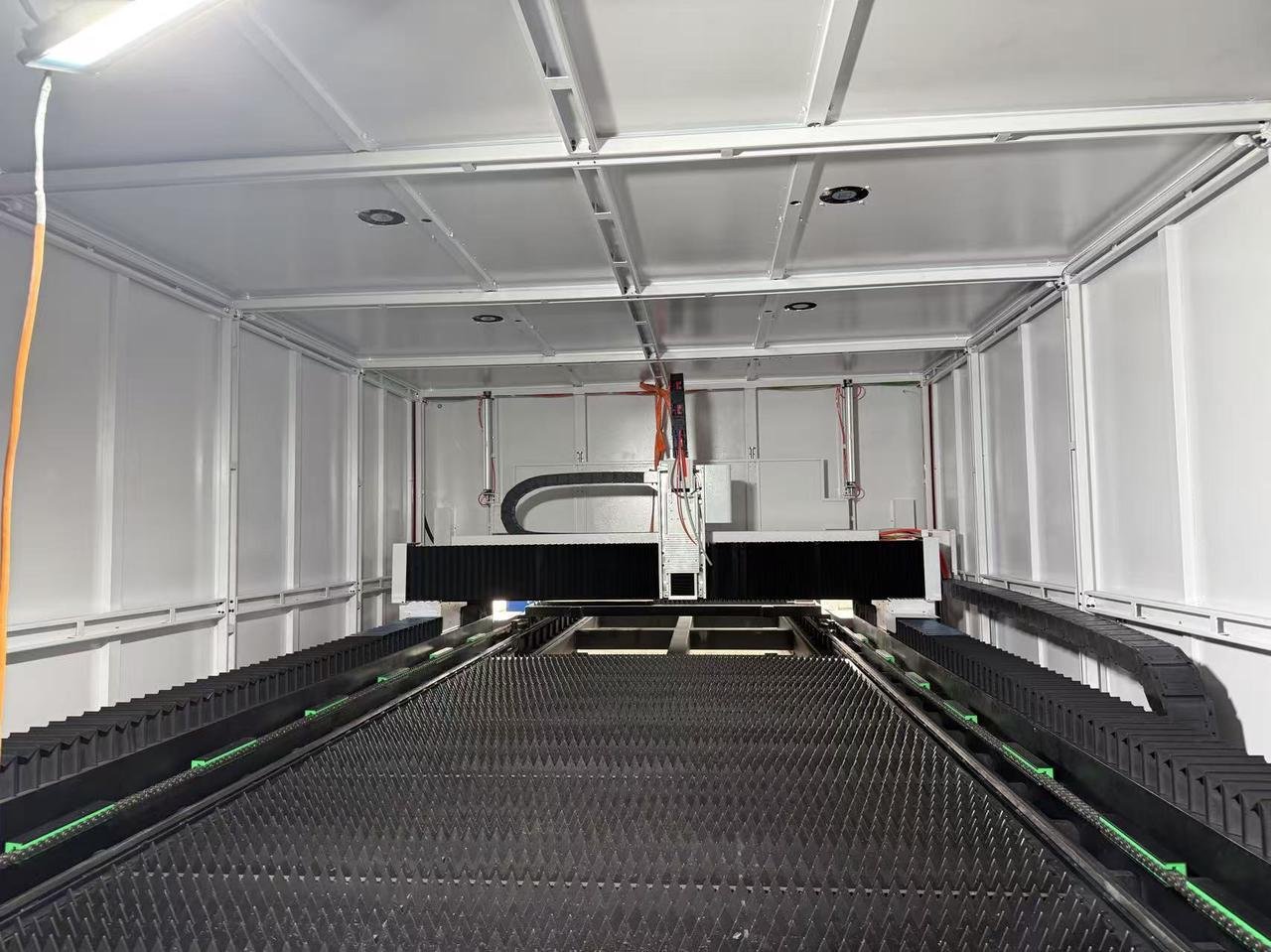
Define what “material utilization” means
For a consistent comparison, define planned net-part utilization as:
Planned net-part utilization = total net area of required parts ÷ total loaded sheet area × 100%.
Use the same area convention in both nests. Net part area excludes the holes and internal cutouts that will be removed. If the software report uses an outer-envelope or another area convention, record that definition instead of comparing the percentages as though they mean the same thing.
Also separate three outcomes:
| Measure | What it tells you | What it leaves out |
|---|---|---|
| Planned net-part utilization | How much loaded area is allocated to the required components | Rejects, rework and the cost of producing them |
| Accepted material yield | Net area of accepted required parts divided by gross stock area loaded for them, including remake runs | Whether a remaining sheet area can be reused economically |
| Recoverable remnant | Material retained for a defined future job | The programming, storage and handling cost of that future use |
An attractive utilization figure can be distorted by adding extra parts that were not ordered. Keep the required quantity, revision and due date fixed when comparing two plans.
Software reports also need a denominator check. FSCUT’s CypNest 2024 V2 release notes describe optional utilization calculations that treat remnants differently. A changed reporting convention can improve the displayed percentage without changing a single cut.
For a purchasing comparison, retain the gross loaded area, net required-part area, accepted-part area, remnant area and scrap separately. If remnant inventory is credited, show the credit rather than silently removing that area from one plan’s denominator. For mixed thicknesses or materials, compare each stock group separately or use a clearly defined mass/cost measure; adding square meters alone hides their different values.
The coil-fed versus sheet laser guide addresses the choice of material-supply route. The workflow here assumes sheet cutting and compares alternative nests for that route.
Apply production constraints before packing parts
Begin with the released drawing and the actual stock. Confirm material grade, thickness, sheet dimensions, surface finish, protective film where applicable and any traceability requirement.
Then identify the constraints that affect orientation and placement:
- Required grain or brushed-finish direction.
- Which surface must remain visible after bending or assembly.
- Permitted rotation or mirroring for each part.
- Defective or unavailable sheet areas.
- Required edge margins and machine or workholding exclusions.
- Locations where tabs, lead-ins or edge marks are unacceptable.
Treat these as inputs to the nesting task. An operator should not have to rediscover them after an automatic layout has been generated.
For example, rotating a visible stainless panel may improve geometric packing but conflict with the specified finish direction. The correct comparison is between layouts that both meet the drawing.
Use a clear order of decisions. First eliminate layouts that violate drawing, material or traceability requirements. Then eliminate layouts the machine cannot process reliably because of travel limits, support, clearance or the validated cutting process. Among the remaining layouts, compare delivery, total cost and inventory use.
This prevents the nesting objective from overriding a production requirement. A larger separation may be necessary for a proven process; a different stock size or part combination may then offer a better saving than reducing that separation without evidence.
Before running the optimizer, also inspect imported geometry. Resolve duplicate cutting entities, unclosed contours, unexpected scale, obsolete revisions and layers that should be marked rather than cut. Verify the final exported machine file: a clean-looking drawing does not prove that the post-processor produced the intended contour and sequence.
Review common-line cutting and part retention together
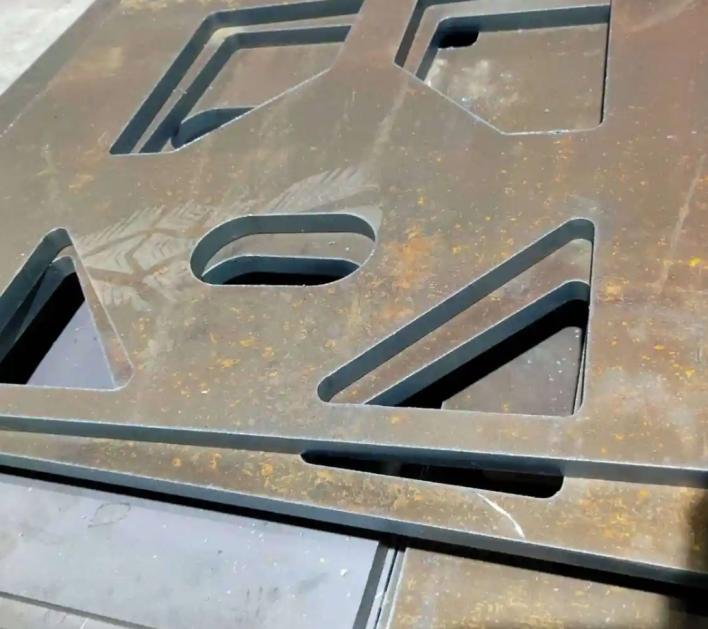
Common-line cutting uses a shared cutting path where compatible adjacent part edges can be processed together. Whether it is appropriate depends on the CAM strategy, kerf compensation, dimensional requirements and how the parts remain supported during the sequence.
The CypNest user manual documents common-line strategies and associated micro-joint options. These are software functions to evaluate on the supplied version and machine configuration; their appearance in a manual does not establish that every quoted package includes them.
Ask the supplier to show the post-processed path, including which contour cuts first and what holds each part after a shared edge is cut. Inspect both neighboring components in the trial. Acceptable size on one side does not prove acceptable size on the other.
Why kerf compensation changes the common-line decision
The laser removes a finite-width strip. The finished edge lies beside the beam centerline, not on it. Common-line planning must account for that strip while preserving both adjacent parts.
Consider an illustrative geometric example with a constant 0.20 mm kerf. Two rectangular nominal outlines touch at the same line. If the beam is sent directly along that line without the appropriate common-line allowance, it removes about 0.10 mm from each side. Each part can lose 0.10 mm at that shared edge, assuming the opposite edges remain correctly compensated.
For a hypothetical width tolerance of ±0.05 mm, that layout would already be unsuitable before adding any process variation. A valid common-line strategy can reposition the nominal parts and generate compensation so the required finished boundaries lie on opposite sides of the kerf. It must also handle corners, cut direction and the actual kerf behavior of the selected process.
This is not merely a theoretical concern. FSCUT’s 2023 V1 toolpath release notes explicitly warn that a particular narrow-gap common-line post-processing adjustment changes actual part dimensions. The warning concerns that function; it does not mean every common-line strategy changes the required dimensions.
Ask whether a proposed saving comes from valid compensation or from accepting a dimensional change. Review internal dimensions, outside dimensions and neighboring parts together. Measure the as-cut result using the intended inspection method before approving the strategy for a tighter drawing.
Use kerf measured on the intended material and cutting recipe. A generic thin-to-thick range cannot establish the value for this nest. Where taper matters, record the relevant top and bottom edges using the agreed method. Recheck after changes that can affect the cut, such as focus or nozzle condition, before reusing compensation on a tight-tolerance common line.
Micro-joints retain a part until it is removed from the sheet. They also create a release and finishing task. TRUMPF’s discussion of material-saving laser techniques explains the connection between retaining tabs, part stability and removal effort.
When reviewing a proposed nest, therefore check more than whether the parts fit:
- Can released parts remain stable through the remaining sequence?
- Are tabs placed where the drawing permits a remaining mark?
- Can the operator remove the part without damaging it?
- Is any tab finishing included in the cost estimate?
Proprietary retention technologies require their own machine and software confirmation. Do not assume a function offered by one manufacturer is available on a different system.
Treat part support as a changing condition through the program. A component may be stable while surrounded by an intact sheet and unstable after neighboring cuts remove its support. The relevant check is its support immediately before and after each release, including the next head travel.
A retained tab solves one problem by adding another operation. Agree where the residual mark may remain, how the part will be separated, which edge needs finishing and how much attendance that requires. An apparently small tab can be unacceptable on a cosmetic or mating edge even if the part stays safely in the sheet.
For automatic unloading, check the pickup and separation sequence as part of the same nest review. A part that cuts successfully but cannot be separated, identified or gripped in the planned sequence has not completed the production task.
Estimate cut time from operations, not just total path length
A useful engineering estimate separates:
Processing time ≈ sum of segment length/effective speed + piercing time + non-cutting motion + height/process transitions + stops.
Use different effective speeds where small holes, corners or process changes require them. A machine’s maximum straight-line speed is not the average speed of a nest. FSCUT’s 2024 V2 notes, linked above, describe size-dependent processing layers that allow outer contours and small inner holes to use different speeds.
Consider these illustrative CAM alternatives for the same required output:
| Simplified contribution | Plan A | Plan B |
|---|---|---|
| Cutting length | 250 m | 220 m |
| Assumed effective cutting speed | 10 m/min | 10 m/min |
| Length-based cutting time | 25 min | 22 min |
| Pierces at an assumed 1.2 seconds each | 400 × 1.2 s = 480 s = 8 min | 700 × 1.2 s = 840 s = 14 min |
| Subtotal before motion, transitions and stops | 33 min | 36 min |
Plan B removes 12% of the cutting length but takes 3 minutes longer in this subtotal because of its assumed pierce count. This is not a claim that common-line cutting increases pierces: different strategies can raise or lower that count. It shows why the actual generated operations must be compared.
Obtain the counts from the post-processed program and confirm times against a run. A reduction in pierces can be valuable for a process with long piercing time, while a different process may be dominated by contour motion or unloading. If a proprietary process changes the piercing method, compare its actual recipe and edge results rather than retaining the old time assumption.
Save predicted and measured times under the same boundary. If the simulation says 33 minutes but observed processing takes 41, classify the additional 8 minutes: reduced motion speed, extra height checks, operator stops, retries or a different program. Updating the estimate without explaining that difference makes the next quotation no more reliable.
Review the CAM sequence before accepting its estimate
Treat automatic sequencing as a proposed production plan. The following are engineering checks to apply to the actual post-processed program, not rules that every part must follow unchanged.
| Sequence choice | Intended benefit | Condition to verify |
|---|---|---|
| Cut internal features before releasing the outside contour | The surrounding sheet can retain the part during feature cutting. | Large internal openings may remove stiffness early; inspect the remaining support. |
| Retain small parts until the necessary adjacent work is complete | Reduces premature drop or movement. | Confirm support and approved tab locations; cutting small parts early is not automatically safer. |
| Put pierces and lead-ins in permitted scrap areas | Keeps their disturbance away from the finished boundary. | Check neighboring finished parts, not just the selected contour. |
| Route travel around released or potentially raised parts | Avoids a path through an obstruction. | Have the integrator verify clearance and any head-lift strategy under the machine’s approved procedure. |
| Distribute concentrated cutting activity | Can reduce local heat accumulation. | Compare the added travel and changing support with the measured edge and dimensional result. |
If the supplied system includes flying-cut or grid-cut functions, have the supplier demonstrate the specific strategy on the intended regular geometry. Confirm the generated beam-on/off sequence and motion, then inspect feature size and location. The software option alone does not establish a time saving at acceptable quality.
Include the skeleton’s condition at unloading. Narrow remaining webs can make scrap difficult to handle. If a supported skeleton-breaking routine is proposed, compare its extra cutting time with unloading time and any effects on support during the cut. Keep that time inside the complete-job comparison.
Test the sequence under real cutting conditions
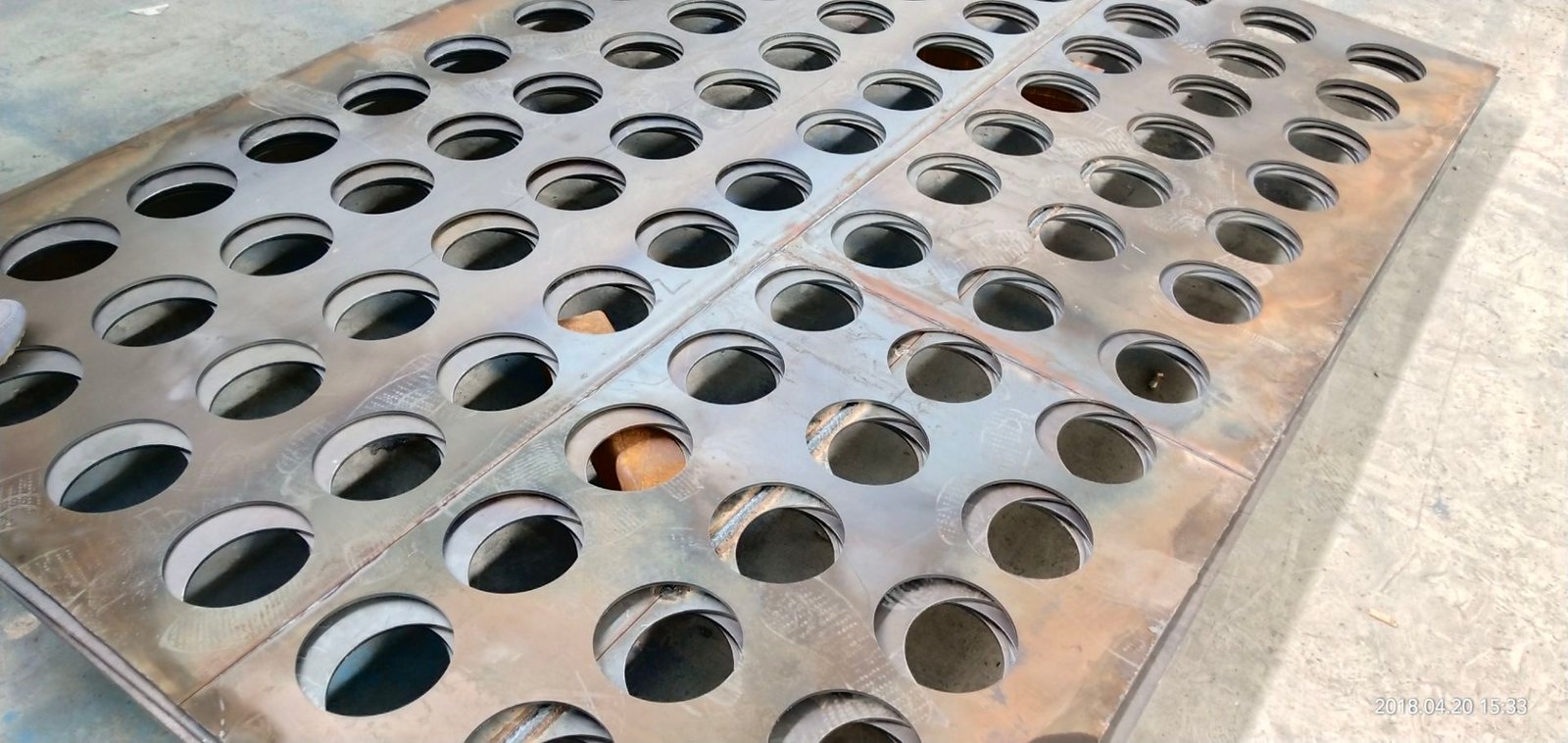
A dense layout can concentrate cutting activity in a small region. Heat management may therefore change the spacing or sequence that works for a particular material and thickness. TRUMPF’s CoolLine description illustrates how an additional process capability can change the achievable nesting arrangement on its own machines.
For a HORISTAR project, establish suitable spacing and sequence through the supplied cutting process and representative trials. There is no spacing value in this article that applies to every power level, material and thickness.
Use the CAM simulation to inspect the order of operations, then verify the physical result. Pay particular attention to:
- Internal features that still need the surrounding material to remain stable.
- Small parts and narrow remnants that may lose support.
- Long or slender components whose final geometry matters after release.
- Lead-ins near finished edges and closely packed neighbors.
- Travel paths after some parts have already been freed.
If a defect appears late in a nest, compare it with an equivalent early part before changing several settings at once. Record the material, cut conditions, sheet location and sequence position. Change one suspected cause where practical, then repeat the comparison. A late defect is a reason to investigate sequence and accumulated process effects, not proof of one particular cause.
Separate thermal, support and process explanations
Use repeated geometry to avoid confusing a difficult feature with a difficult location. The following are proposed diagnostic comparisons; none identifies a cause from appearance alone.
| Failure pattern | Controlled comparison | What the result would justify investigating |
|---|---|---|
| Similar small features worsen after nearby contours are cut | Compare grouped and distributed sequences on comparable stock while preserving support and process settings | Improvement when cuts are distributed supports a local heat-history explanation, although changing support at the same time would confound the result. |
| A part tips or shifts only after its neighbor releases | Review support and release order; trial an approved retention change | A repeatable improvement points toward support/release behavior rather than changing power first. |
| Defect stays in one machine-bed region after sequence changes | Repeat identical geometry there and in a reference region | Check the local support/material condition and machine/process behavior; timing alone no longer explains it. |
| Small holes fail both early and late | Compare the relevant feature recipe, geometry, actual cut speed and measurement method | Investigate feature-specific process capability before blaming nest density. |
| A long part changes shape when freed | Compare shape before release, after release and after cooling under the agreed measurement method | Distinguish restraint and material/process effects; reducing a gap cannot be assumed to restore final flatness. |
Log the result of the changed trial and return to a reference condition. A denser nest is useful only if the accepted geometry remains consistent after the parts are released and ready for their next operation.
The assist-gas and nozzle selection guide covers those process choices separately. Keep them controlled while evaluating a nesting change, unless changing them is an explicit part of the trial.
Give remnants an identity and a use
A leftover sheet is useful stock only when the next operator can identify and process it. Record:
| Remnant field | Why it belongs in the record |
|---|---|
| Unique stock ID | Links the physical remnant to the software record |
| Material, thickness and traceability | Prevents a visually similar remnant being used for the wrong job |
| Usable outline and exclusions | Defines where the next nest can actually be placed |
| Surface and orientation | Preserves finish and direction requirements |
| Storage location | Makes retrieval practical |
| Intended reuse or review date | Helps distinguish usable inventory from material that is simply being kept |
CypNest’s documented remnant workflow includes remnant boundaries and clearances. Check the functions available in the delivered software rather than assuming automatic identification or camera-assisted positioning.
For cost comparisons, credit a remnant using one consistent inventory policy. Do not deduct its full original material value from the first order and then treat it as free material on the second. Likewise, an unplanned offcut should not receive the same credit as a traceable remnant already assigned to a real order.
Area alone does not describe reuse. An illustrative 1,000 × 1,000 mm remnant and a 250 × 4,000 mm strip both contain 1 m². A 600 × 400 mm rectangle fits geometrically in the square but cannot fit in the strip with either orthogonal orientation. Machine clearances and other exclusions still have to be checked before using the square.
Before assigning a reuse credit, identify a plausible matching job, its material/finish restrictions and the cost of retrieving, locating and programming the remnant. Retain the usable shape, not merely a bounding rectangle that includes previously removed areas. If a remnant is repeatedly bypassed because no released job fits it, reduce the assumed credit under the business’s inventory policy.
Separate the physical reuse opportunity from the accounting transfer. The first order may receive a transfer credit while the later order carries the matching charge. Across both orders, that internal transfer cancels; the actual saving comes from avoided stock purchase or reduced scrap after the extra processing and storage effort.
Estimate the value of keeping a remnant
For a planning estimate, compare retention with the alternative of disposing of the same remnant now:
Expected incremental benefit = probability of usable reuse × avoided material charge + expected eventual scrap proceeds − immediate scrap proceeds forgone − expected additional retention and reuse costs.
Use a common time basis for all amounts; a longer planning horizon may require discounting. This is a decision model, not an inventory valuation standard. The avoided material charge must represent the material the later job would otherwise consume; it need not equal a whole-sheet purchase saving.
For a simplified example, assume zero scrap value, negligible timing effects and proportional material charging. A USD 120 sheet with 4.5 m² has an area charge of 120 ÷ 4.5 ≈ USD 26.67/m². A usable 1.0 m² remnant has an assumed 60% probability of displacing that much charged material within the review period. If expected extra retrieval, programming and storage cost is USD 6 in total:
Expected benefit = 0.60 × (120 ÷ 4.5) − 6 = USD 10.
The USD 6 is already an expected cost across reuse and non-reuse outcomes; do not multiply it by 60% again. If USD 6 is instead incurred only when reused, its expected amount would be USD 3.60, changing the example benefit to USD 12.40 before other costs.
Estimate reuse probability from comparable material, usable shape and age cohorts that have had the full review period to be used. Counting newly stored remnants as failures before their review period ends biases the estimate. When the expected benefit is negative, retaining material needs another stated reason, such as a confirmed future order; area alone is insufficient.
Compare the cost of completing the same order
The following example is illustrative only. The dimensions, rates, time and rejected quantities are assumptions chosen to show the calculation; they are not HORISTAR test results.
Assume an order for 180 identical components, each with a net area of 0.09 m². Each loaded sheet is 3.0 × 1.5 m, or 4.5 m².
| Input or result | Nest A | Nest B |
|---|---|---|
| Required acceptable components | 180 | 180 |
| Sheets in the initial run | 5 | 4 |
| Planned net-part utilization | 72% | 90% |
| Material cost at USD 120 per sheet | USD 600 | USD 480 |
| Machine time for the initial run | 100 minutes | 135 minutes |
| Machine cost at USD 60 per hour | USD 100 | USD 135 |
| Separate handling and tab-finishing cost | USD 36 | USD 90 |
| Accepted components after the initial run | 180 | 170 |
| All-in cost to remake the missing components | USD 0 | USD 80 |
| Total cost to complete the 180-piece order | USD 736 | USD 785 |
| Cost per acceptable component | USD 4.09 | USD 4.36 |
The utilization calculations are:
- Nest A:
180 × 0.09 ÷ (5 × 4.5) × 100 = 72%. - Nest B:
180 × 0.09 ÷ (4 × 4.5) × 100 = 90%.
The cost calculations are:
- Nest A:
(600 + 100 + 36) ÷ 180 = USD 4.09per acceptable part. - Nest B:
(480 + 135 + 90 + 80) ÷ 180 = USD 4.36per acceptable part.
For this example, the machine rate includes the allocated cutting labor, machine cost, energy, gas and consumables. The handling row covers separate work only. The USD 80 remake allowance assumes the ten replacements use traceable remnant material or an allocated portion of a sheet shared with other work. For example, USD 30 of assigned material, USD 35 of machine time and USD 15 of separate handling total USD 80. The assigned material must cover the required stock and expected losses; already purchased material is not automatically free. This route is a costing assumption, not a demonstrated nest. Neither initial run receives a remnant or scrap credit.
Nest B initially saves USD 120 of sheet material but costs USD 49 more to complete the order. The comparison is fair only after both routes deliver the same acceptable quantity.
The same example identifies a useful improvement target. Nest B incurs USD 35 more machine cost and USD 54 more separate handling cost, leaving 120 − 35 − 54 = USD 31 of its material saving available to absorb remakes. The assumed USD 80 remake cost exceeds that allowance by USD 49.
Holding the other entries constant, reducing remake cost below USD 31 would make B cheaper; eliminating the remakes would give B a USD 31 advantage. This does not prove remakes can be eliminated. It tells the team which defect or handling change must be demonstrated before accepting the denser layout.
Recalculate if the remake needs a fresh sheet
The 90% value is a planned initial-run figure. After ten initial rejects, the accepted net area from that run is only 170 × 0.09 = 15.3 m², or 85% of the original 18 m² loaded. Replacements require an additional material route.
Suppose that route needs one fresh USD 120 sheet and no credit is allowed for the remaining material. With an independently assumed 10 minutes of machine time at USD 60/hour and USD 5 of separate handling, the remake costs USD 135. These times differ from the remnant/shared-sheet example and must be measured for the selected route.
| Completed-order result | Remnant/shared-sheet costing assumption | Fresh-sheet assumption |
|---|---|---|
| Remake cost for ten accepted replacements | USD 80 | USD 135 |
| Nest B total | USD 785 | USD 840 |
| Nest B cost per accepted part | USD 4.36 | USD 4.67 |
| Accepted material yield over all stock used | Requires the actual remnant/shared-sheet stock allocation | 180 × 0.09 ÷ (5 × 4.5) = 72% |
The fresh-sheet total is 480 + 135 + 90 + 135 = USD 840. Nest B then uses five whole sheets, matching A’s 72% accepted material yield but costing USD 104 more to complete the order. This assumes all ten replacements pass, no other work shares the extra sheet and all five sheets are charged to this order.
For a shared sheet, record the physical stock and its consistent allocation across orders; for a remnant, record the actual usable stock consumed. A USD 30 material charge does not, by itself, establish an area-yield denominator. Do not retain the 90% headline while leaving the replacement material outside the comparison.
Check complete kits and due dates when nesting several orders
Mixing compatible parts can fill unused space, but the production objective may be completed assemblies rather than a total count of loose pieces. Preserve each part number, revision, quantity and destination through sorting.
For an illustrative kit requiring two A parts and one B part, 200 accepted A parts and 96 accepted B parts provide only 96 complete kits. That is true even though 296 ÷ 300 = 98.67% of the requested individual pieces are available. Four missing B parts hold back four kits and leave eight A parts waiting.
For each kit, calculate the whole-number kit count permitted by every component, then use the smallest result. Prioritize replacement of the missing component in the next nest rather than maximizing the count of whichever shape fills space most easily.
When orders have different due dates, compare the material saving with additional sorting, traceability work and waiting time. A combined nest that must wait for another order’s material or approval may delay the urgent kit. Keep a cutoff time for releasing the nest and a defined method for identifying and separating the parts.
Use a controlled A/B trial
Choose an order that represents routine work. Save both nesting files and the actual machine programs. Hold the part revision, raw material, required quantity and inspection criteria constant.
Record these fields for each trial:
| Record | Nest A | Nest B |
|---|---|---|
| Program revision and software version | — | — |
| Stock loaded and traceability | — | — |
| Planned area convention and utilization | — | — |
| Accepted, rejected and reworked quantities | — | — |
| Machine elapsed time, including interruptions | — | — |
| Separate labor and finishing time | — | — |
| Cause and duration of each stoppage | — | — |
| Remnant identity and agreed credit | — | — |
| Total cost to complete the order | — | — |
If one nest wins only on the simulation, investigate the difference between predicted and observed processing. If it saves material but adds removal work, improve the retention or sequence strategy and repeat the affected comparison.
Repeat the preferred plan on another representative order before applying it broadly. A layout that suits rectangles in one gauge may not suit narrow contours in another.
What to ask for in a laser cutting machine demonstration
For a HORISTAR laser cutting machine, provide production DXF files, quantities, material and thickness, orientation restrictions and current scrap or handling concerns.
Ask to see the route from imported drawing to nesting, toolpath, cutting and finished-part removal. Confirm the supplied nesting software and options, how remnants are recorded, and how the demonstration cost is calculated.
That gives you evidence about the workflow you will use after delivery: how efficiently the machine turns purchased sheet into the correct quantity of usable parts.